Store your new prototype in GitHub
To store your new prototype in GitHub, you need to set up GitHub Desktop.
-
In GitHub Desktop, select Add an Existing Repository (if it's not on the screen, click the File menu and select Add Local Repository).
-
Click the Choose button and select your prototype folder.
If Github Desktop shows a warning
You may get a warning, like this screenshot:
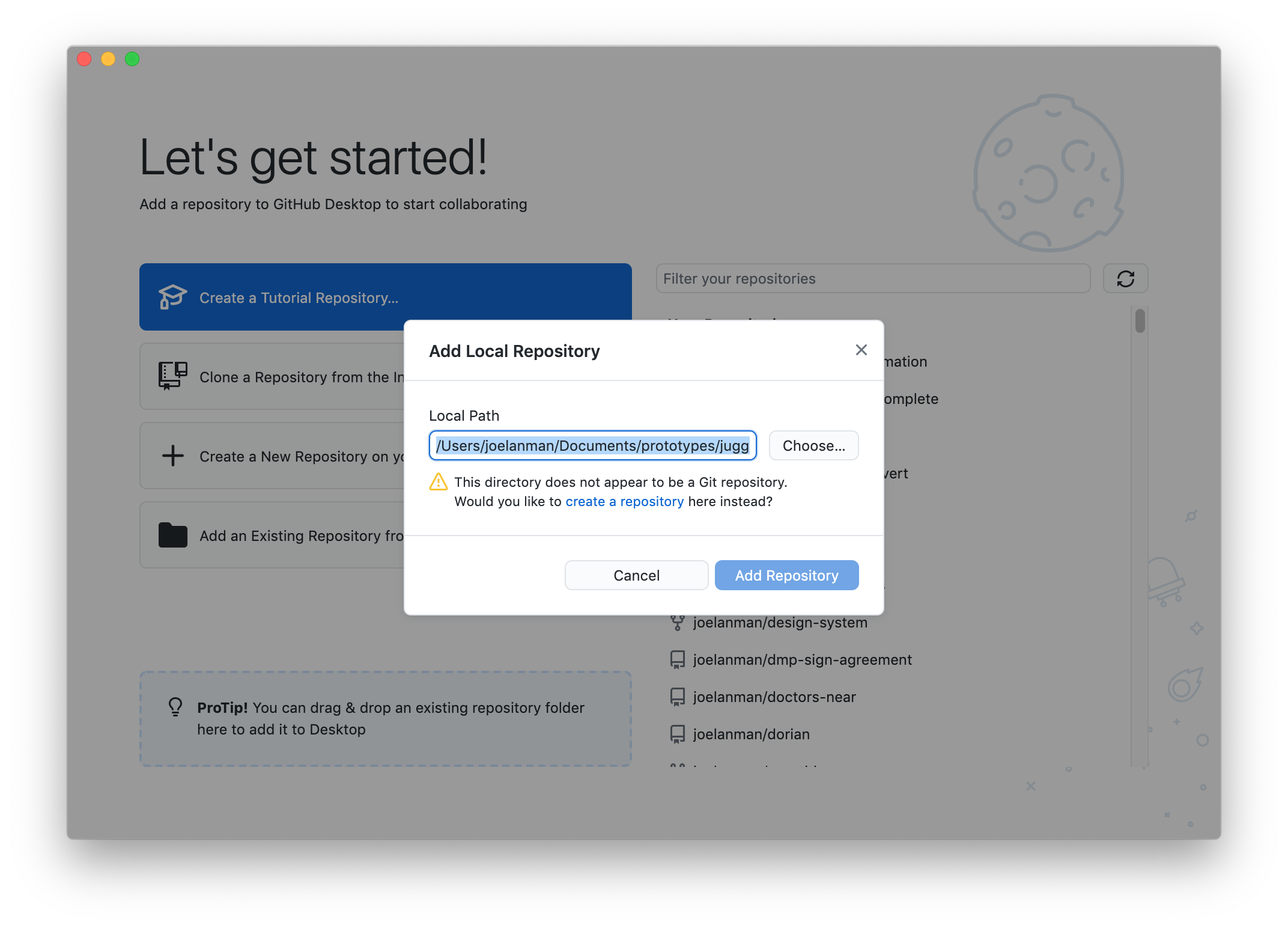
Do not worry if you get this warning - this is the correct process.
-
In the warning, click the create a repository link.
-
On the next screen, titled Create a repository, click the Create repository button.
Upload your prototype to GitHub
-
In the top right, click publish repository
-
Make sure 'Keep this code private' is not ticked, as we need others to be able to see and collaborate on it.
-
Click publish repository
Your prototype code is now on GitHub, which means other people can see and collaborate on your code.